Comparison · Checked August 2026
Tasca vs TravelSpend: which travel budget app fits your trip
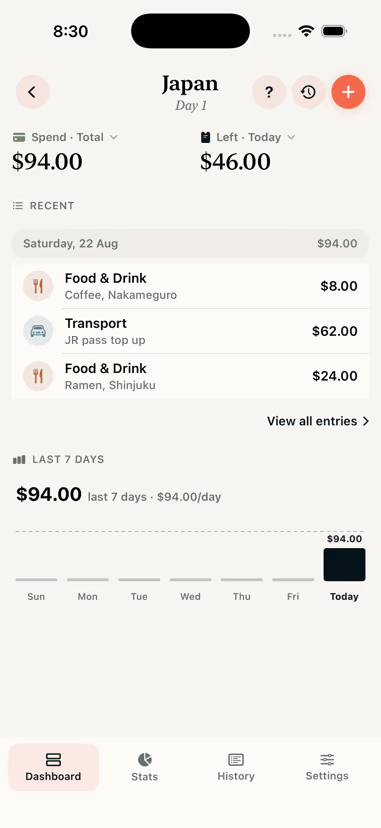
TravelSpend is a well established app, and for a trip split between several people it is the better tool. Tasca is built for tracking your own spending, without an account and without an ads or analytics profile attached to it.
The short version
Choose Tasca if
- You track your own spending, not a group's
- You would rather not carry an ads or analytics profile around with you
- You would rather no account existed at all
- You want country by country breakdowns and cost per day comparisons
- You are on iPhone and want a widget, Live Activity and Siri
Choose TravelSpend if
- You are splitting a trip and need to settle up between people
- Someone in your group is on Android
- You want receipt photos stored with the expense
- You want live sync between several people's phones
Line by line
A marker shows which app we think takes each row. Where it is genuinely level, neither gets one.
| Feature | Tasca | TravelSpend |
|---|---|---|
| Price | Free to download | Free tier, Premium $4.99/mo, $24.99/yr or $59.99 lifetime |
| Ads | None | Shown on the free tier |
| Account required | No account at all | Account for sync and sharing |
| Platforms | iPhone | iPhone and Android |
| Group trips and settle up | Not supported | Yes, with live sharing |
| Works offline | Yes, offline first | Yes |
| Multi-currency | About 160 currencies with automatic dated rates, plus manual override | 150+ currencies |
| Receipt handling | On-device scan, keeps the numbers not the photo | Attach receipt photos |
| Export | CSV, JSON and PDF | CSV, on the paid tier |
| Per country breakdown | Full stats per country, cost per day, share of trip | Category and day breakdowns, map view |
| Data collected about you | None. No analytics or ad SDKs in the app | App Store label lists user ID, device ID, email, analytics and advertising data |
| Widget, Live Activity, Siri | All three | Shortcuts integration |
Checked August 2026. Other apps change their pricing and features, so treat this as a starting point and confirm anything that matters to you. Source: TravelSpend on the App Store.
The real difference is who the app is for
TravelSpend is built around a shared trip: several people, one budget, and a settle up at the end. That requires an account, a server and live sync, and those in turn require knowing who you are.
Tasca tracks one person's spending. That limit is what allows it to work without an account, without a server holding your trips and without analytics.
So the choice is mostly about whether you are tracking a group trip or your own.
What free means in each app
TravelSpend's free tier is genuinely usable, which is more than most apps in this category manage. It does show ads, and as at August 2026 the App Store listing prices Premium at $4.99 a month, $24.99 a year or $59.99 for a lifetime unlock, with CSV export sitting on the paid side.
Tasca has no tiers. Export, stats, receipt scanning, the widget and everything else is in the app from the first launch, and there is no screen anywhere in it asking you to upgrade.
Where TravelSpend is the better choice
If anyone in your group is on Android, Tasca is not an option. It is iPhone only.
If you need to know who owes whom at the end of the trip, TravelSpend does that and Tasca does not. Tasca can split one payment across categories or across days, but it will not track debts between people.
If you need the receipt image kept with the expense, TravelSpend stores photos. Tasca reads a receipt and then discards the image, which suits privacy but not a finance team that wants the scan.
Moving a trip across
There is no import path between the two apps. Most people finish the current trip where it is and start the next one in Tasca, since travel budgets are organised per trip anyway.
If you want the history, export what you can from your current app and keep the file. Tasca's JSON export covers the same situation in reverse.
Questions
Is Tasca free like TravelSpend?
Tasca is free to download and shows no ads. TravelSpend has a free tier with ads plus a Premium subscription, priced on the App Store as at August 2026 at $4.99 a month, $24.99 a year or $59.99 for lifetime access.
Can Tasca split expenses between people like TravelSpend?
No. Tasca splits a single payment across categories or across the days a booking covers, but it does not track who owes whom between people. For a shared trip with a settle up at the end, TravelSpend is the better fit.
Does Tasca have an Android version?
No. Tasca is iPhone only, and uses iOS features like Live Activities, App Intents and on-device Vision text recognition that do not have direct Android equivalents.
Which app collects less data?
Tasca. It has no analytics SDK, no advertising SDK and no account, and the only network request it makes is for exchange rates. TravelSpend's App Store privacy label lists user ID, device ID, email address, product interaction analytics and advertising data.